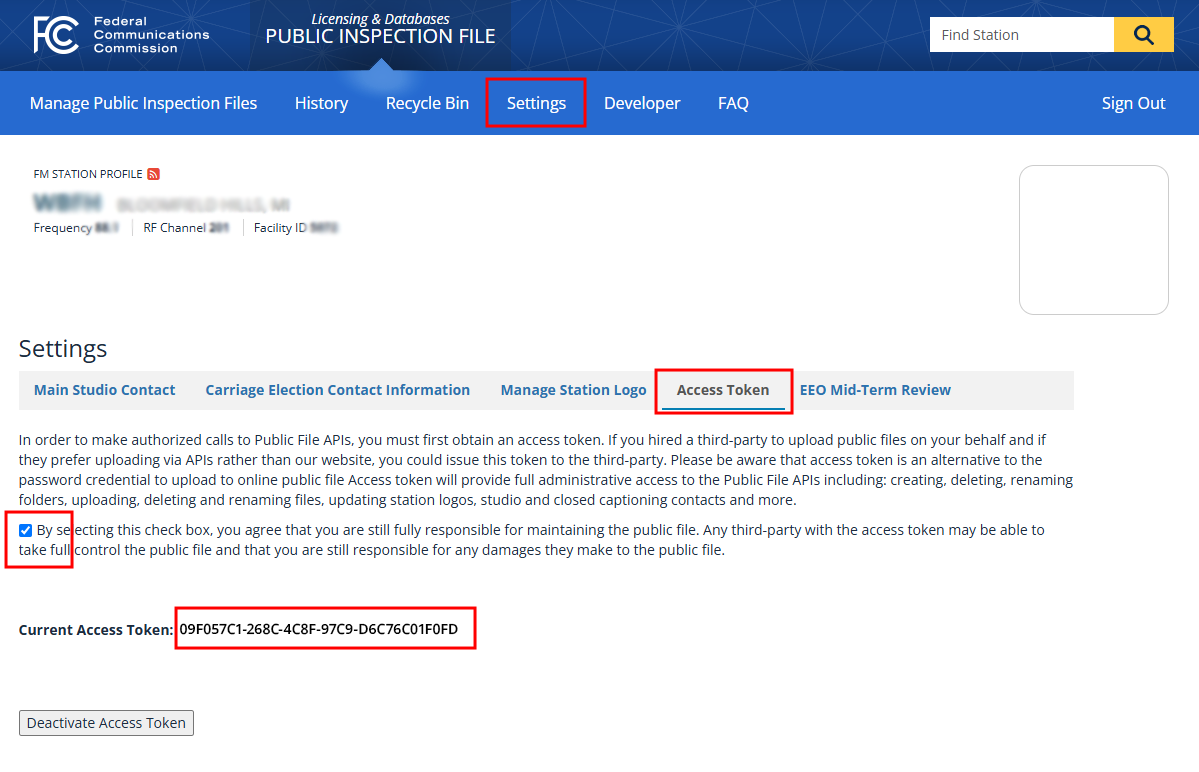
To obtain the FCC Online Public Inspection File access token used by Public File Pro, sign in to the FCC’s Public Inspection File system and open the station you want to connect. Select Settings from the top navigation, then choose the Access Token tab.
On that page, acknowledge the FCC’s notice that the station remains responsible for activity performed by any third party using the token. Once acknowledged, the FCC will display the station’s Current Access Token. Copy that token and enter it into Public File Pro when configuring the station’s FCC OPIF connection.
The access token provides programmatic administrative access to the station’s public file, including the ability to upload, modify, rename, and delete documents, so it should be treated as a confidential credential and provided only to authorized services such as Public File Pro.